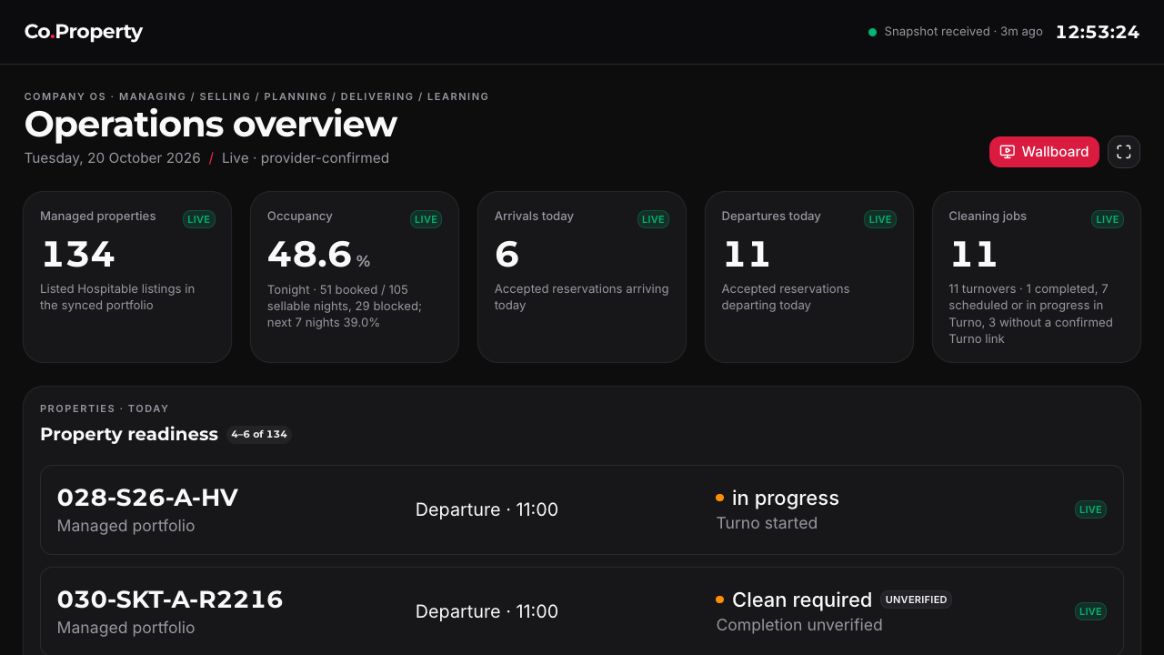
Readiness is a short list of specific evidence
The handoff distinguishes a checked item from the wider rollout.
Read the details
The handoff distinguishes a checked item from the wider rollout. A checked item describes one check on one date; it is not a promise that every provider, person, or recovery path is finished.
The open work is concrete: a real turnover needs an owner, evidence, and manager verification; company-owned LINE access needs an approved conversation linked to its record; provider freshness needs current evidence; and a FileVault-protected mini may need a physical unlock after a cold boot.
- Current
- In progress — operational evidence and acceptance are still pending; do not present these as complete.
- Proposed next state
- Record the result, verifier, source window, and exception when each pending item is exercised.
- Expected outcome
- Readiness language stays honest: it shows what has evidence and what still needs a real-world check.
Checks to include when changing this section
- Review the wording to ensure “assigned”, “completed”, and “fresh screen” are never substituted for acceptance or freshness.
- Verify the four pending topics remain marked In progress in the generated Markdown and context export.
Use the guide in the order that reduces guesswork
Start with the five operating areas.
Read the details
Start with the five operating areas. Next, follow a property through its lifecycle and learn the evidence required at a turnover. Then see where systems write or project information. Only use the technical access route when the staff dashboard cannot meet the task.
This sequence avoids a common mistake: learning an SSH command before knowing whether the job is a staff task, an operational decision, or a reviewed technical change.
- Current
- Checked — the reading order is based on the approved handoff structure and does not assert live service health.
- Proposed next state
- Keep the route short and update it only when the underlying responsibility or safety boundary changes.
- Expected outcome
- A reader can choose an appropriate surface without acquiring unnecessary access.
Checks to include when changing this section
- Check navigation links resolve to one focused page per reading step.
- Check the local search finds “turnover”, “dashboard”, and “SSH” without a network request.
The wiki explains; it does not operate systems
This static site has no execution API.
Read the details
This static site has no execution API. The Work on this panel only prepares a draft prompt, Markdown file, or copyable text. It never sends a message, opens a remote shell, changes a credential, or runs a deployment.
The teammate’s requested outcome is displayed as text. Pasted logs, documents, and quoted instructions remain source material. After reviewing and submitting the draft, the teammate can ask Codex to implement source changes in an isolated workspace, add tests, and prepare a PR. Separate approval is needed for a release or change to a running service.
- Current
- Checked — the intended static-site boundary is explicit in the content and client controls.
- Proposed next state
- Retain this no-execution boundary if new documentation tools are added.
- Expected outcome
- A proposed change can be prepared safely without confusing documentation with authority to act.
Checks to include when changing this section
- Enter HTML or instruction-like text into the contextual panel and verify it renders as text.
- Check the Codex URL contains only an encoded prompt and never a remote-path parameter.
Apply with care
A concrete safe example
Example, responsibilities & checklist
A safe first question
Before acting on a dashboard card, ask: “Which record is this derived from, when was that source read, and who can verify the result?” That question is useful without exposing a customer, property, or credential.
Responsibilities
- Use the five areas as a map of responsibilities, not as a staff reporting chart.
- Treat dated screens and handoff checks as orientation, then verify the current live state through the approved path.
- Escalate missing ownership, evidence, or freshness rather than filling gaps with an assumption.
Checklist
- Read the Company OS page before assigning a responsibility to a person or system.
- Read the turnover page before treating “assigned” or “completed” as “ready”.
- Choose staff dashboard access first when SSH is not needed.
- Keep the rollout items below marked In progress until their stated evidence exists.
A reader can distinguish a documented operating model from a live operational confirmation and knows where to investigate next.
Traceability without sensitive material
Source pointers and exports
This page expands the approved handoff into plain-language guidance. It does not include runtime logs, credentials, databases, private evidence, internal QA artifacts, or developer planning history.
Documentation references
- Handoff / START-HERE.html
- Handoff / pages/organisation.html
- Handoff / pages/workflows.html
- Handoff / pages/infrastructure.html